Meta WhatsApp Business API
Connect official Cloud API accounts, manage webhooks, and send approved marketing, utility, or authentication templates from your organization.
 Pro Chat Desk
WhatsApp Campaigns
Pro Chat Desk helps teams plan WhatsApp campaigns, send approved templates, track delivery, reply from a shared inbox, and continue each lead with AI chatbot or agent support.
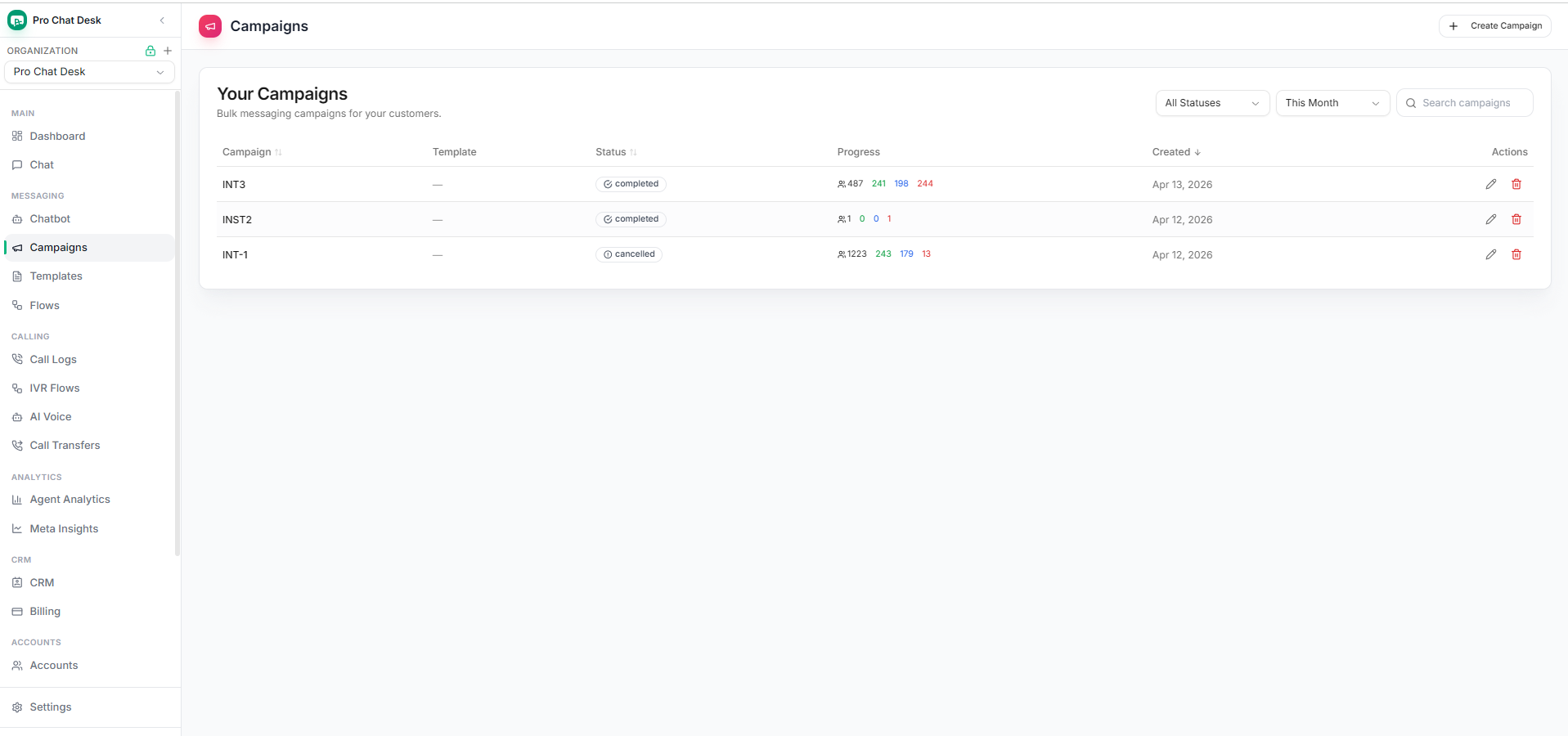
A campaign is only useful when the replies, tickets, and follow-ups are handled in the same workflow. Pro Chat Desk keeps marketing, sales, support, and billing in one workspace.
Connect official Cloud API accounts, manage webhooks, and send approved marketing, utility, or authentication templates from your organization.
Create campaign lists, choose templates, launch broadcasts, and review completed, cancelled, sent, delivered, read, and failed counts.
When customers respond, agents can continue the conversation with history, quick replies, ownership, and team visibility.
Let AI answer common questions from campaign replies, then hand over to a human agent when the customer needs help.
Create support tickets for delivery, billing, product, or service issues without losing customer context from WhatsApp.
Track subscription plans, credits, invoices, AI add-ons, voice packs, and campaign usage in one billing area.
The platform is designed for teams that need to move from audience selection to campaign replies without switching tools.
Use Meta Embedded Signup for Cloud API or configure a phone WhatsApp connection when that fits the organization.
Segment customers, choose approved WhatsApp templates, and keep campaign content aligned with Meta policy.
Launch broadcasts and monitor sent, delivered, read, and failed counts from the campaign dashboard.
Route responses into shared inbox, AI bot, tickets, or agent handoff so every campaign lead gets handled.
Pro Chat Desk fits teams that use WhatsApp as their primary customer channel.
Send offers, order updates, abandoned cart reminders, new product announcements, and post-purchase support messages.
Follow up with admission leads, fee reminders, class updates, counselor assignments, and event notifications.
Broadcast renewals, appointment reminders, outage updates, ticket responses, and customer satisfaction follow-ups.
Pro Chat Desk is more than a send button. It combines WhatsApp campaign software with shared inbox, chatbot automation, AI voice, tickets, CRM, billing, and analytics.
Many tools stop after sending messages. Pro Chat Desk keeps the customer journey connected after the campaign: reply, qualify, assign, support, and measure from the same organization dashboard.
Short answers for teams comparing WhatsApp campaign platforms.
Yes. Teams can create contact lists, use approved WhatsApp templates, send broadcasts, and track sent, delivered, read, and failed counts.
Yes. Pro Chat Desk supports Meta WhatsApp Business API accounts, templates, webhooks, campaign delivery status, and analytics.
Yes. The AI chatbot can answer common customer questions and hand over conversations to agents when a human should respond.
Yes. Teams can create tickets from customer issues, assign ownership, set priority, and keep WhatsApp context visible.