

Official WhatsApp API, phone WhatsApp, AI chat, and AI voice
Pro Chat Desk for WhatsApp marketing, support, AI chat, and AI voice
Pro Chat Desk helps teams run campaigns, reply from a shared inbox, automate FAQs, let AI answer calls, and keep every lead moving without jumping between tools.
- 24x7
- AI responses
- Team
- shared inbox
- Cloud + QR
- WhatsApp accounts
Platform
Everything your WhatsApp team needs to sell, support, and retain
Pro Chat Desk brings Cloud API accounts, phone WhatsApp connection, automation, campaigns, support tickets, NMS maps, traffic alerts, and team permissions into one clean workflow.
Inbox
online
Official Cloud API
Connect Meta WhatsApp Business accounts, templates, webhooks, read receipts, and campaigns.
Phone WhatsApp
Use QR-based connection when a team wants WhatsApp Web style onboarding for its number.
AI Chatbot
Answer common questions with chat history context and hand over to agents whenever needed.
Shared Inbox
Assign chats, track ownership, save replies, and keep every conversation visible to the right team.
Support Tickets
Create tickets from customer issues, set priority and status, assign ownership, and close support cases.
Billing & Add-ons
Manage subscriptions, credits, invoices, paid usage, AI packs, voice packs, and network monitoring add-ons.
AI Voice Bot
Answer SIP-routed WhatsApp and phone calls with a real-time AI assistant before handing over to agents.
NMS Fiber Maps
Monitor devices, fiber routes, port traffic, alerts, and customer links on a live map dashboard.
Product Screens
All the new Pro Chat Desk modules are visible in one place
See the live dashboard areas added for WhatsApp chat, support tickets, billing, campaigns, AI chatbot settings, NMS overview, and fiber map monitoring.
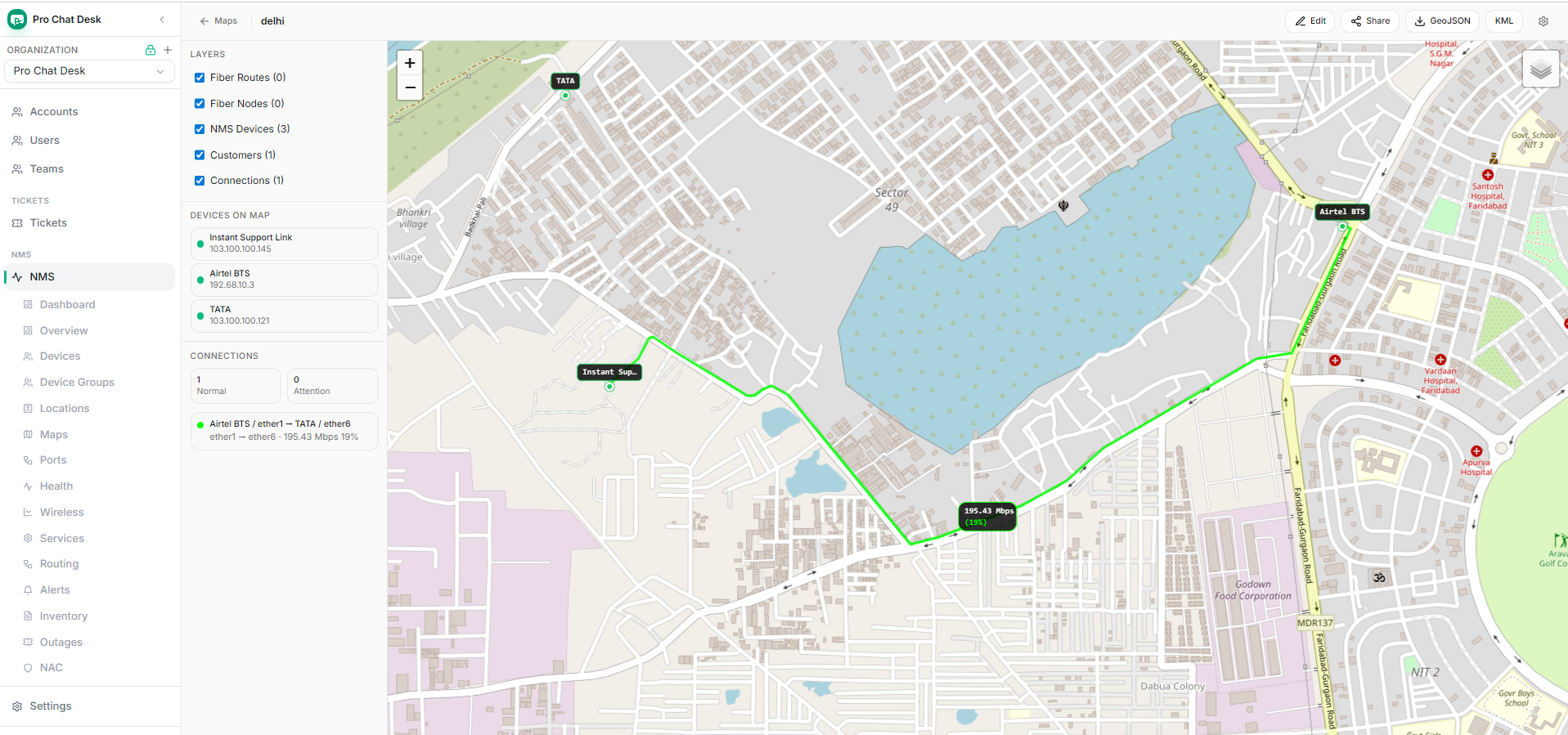
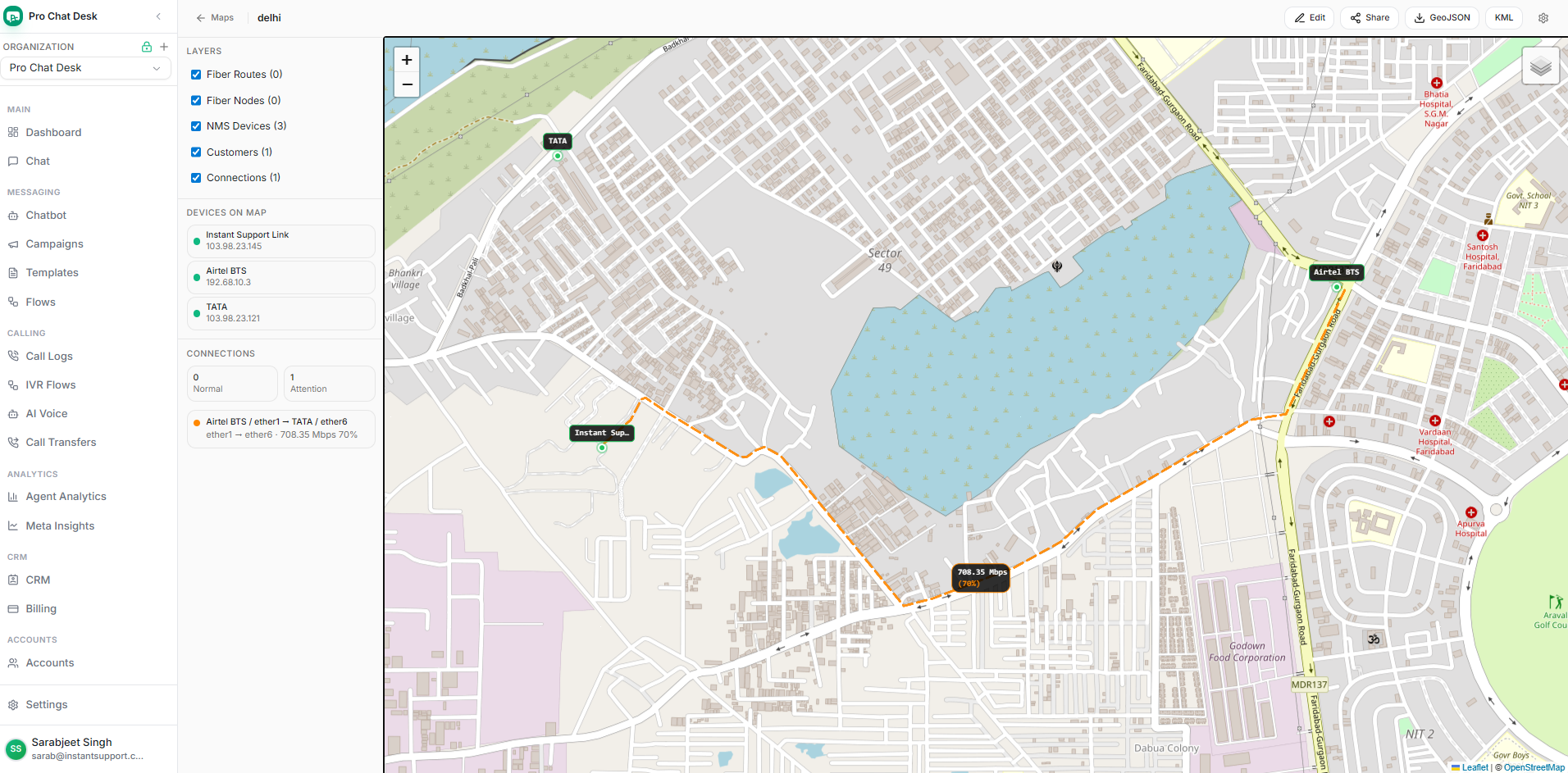
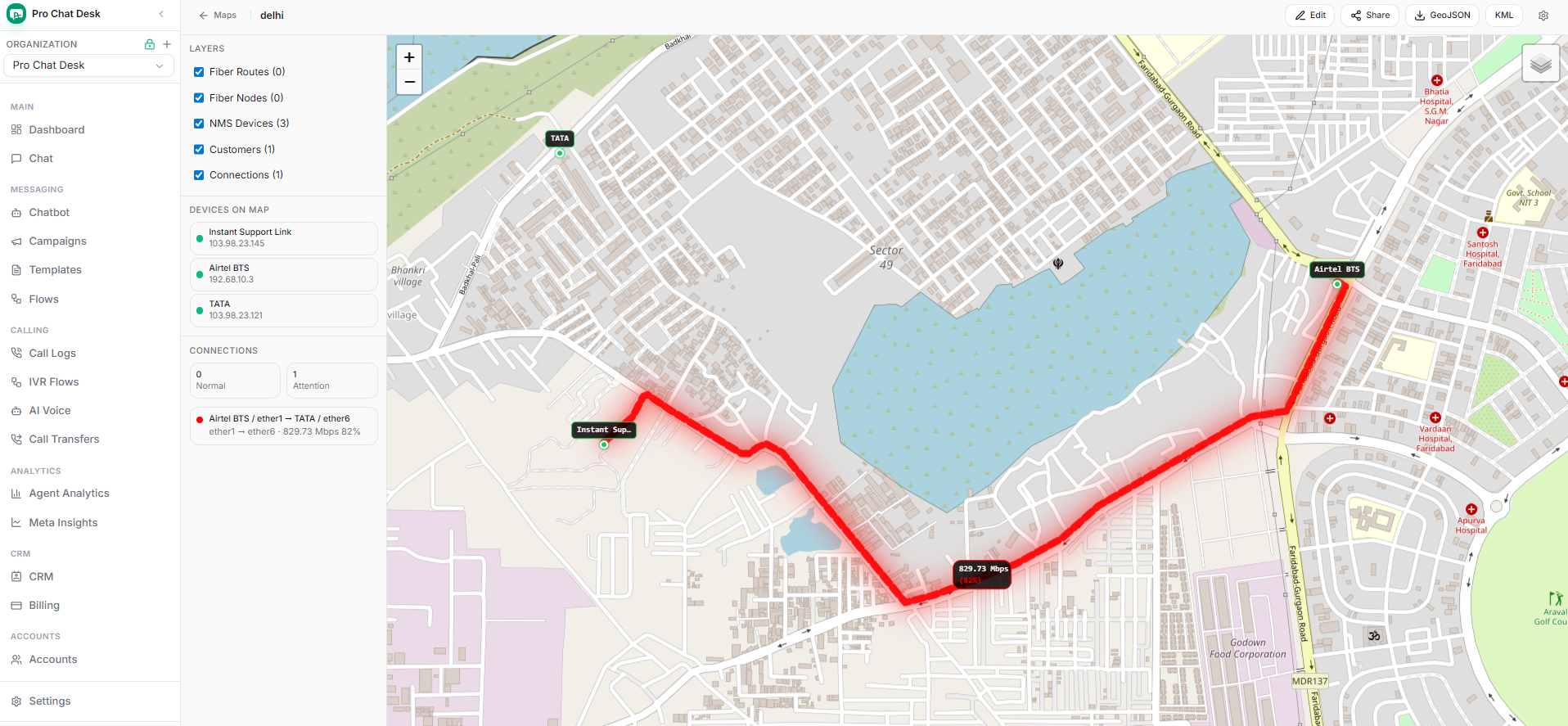
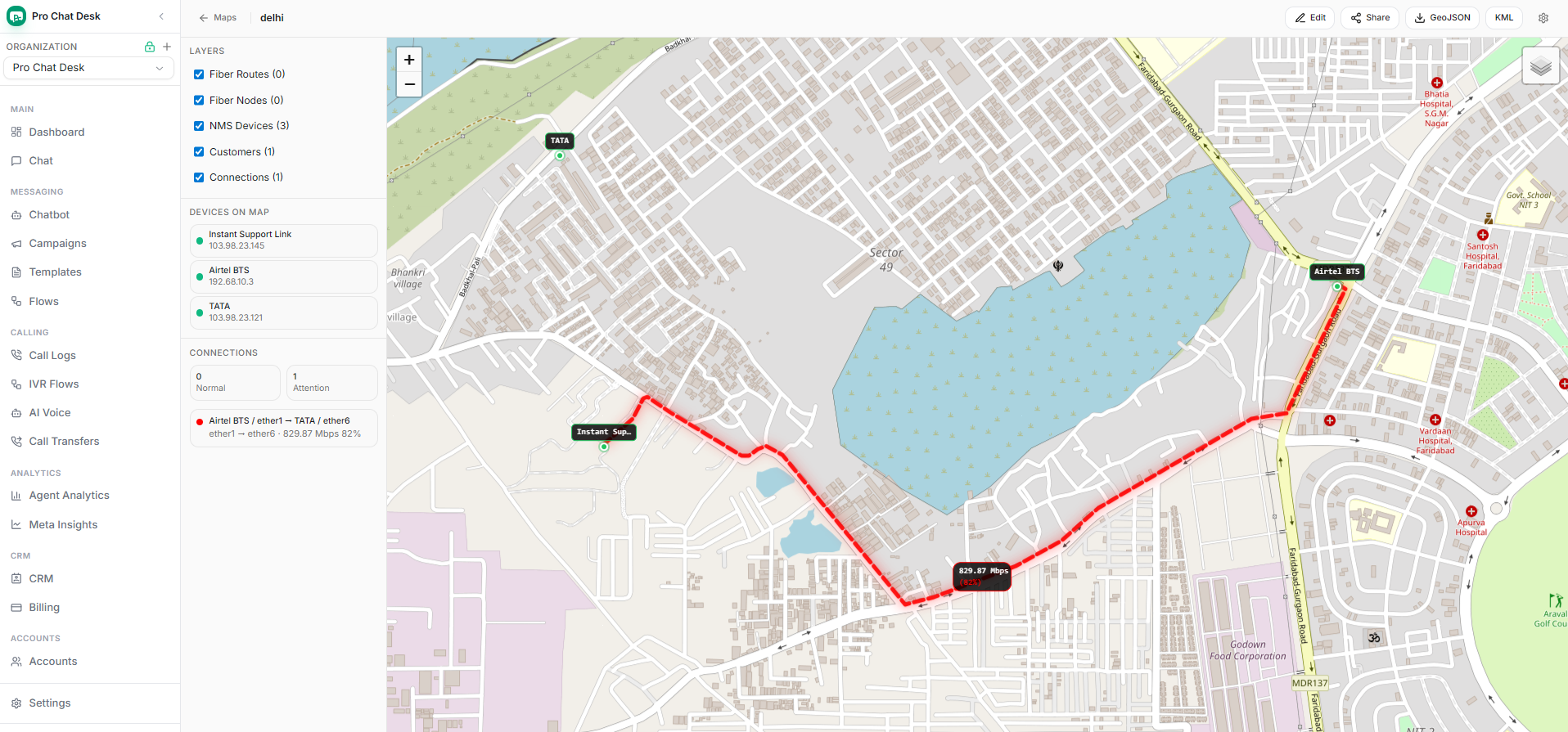
NMS Fiber Map
Live map with routes, devices, customers, and traffic status
Fiber routes change from green to attention and critical states as link usage increases, with Mbps labels and device markers shown directly on the map.
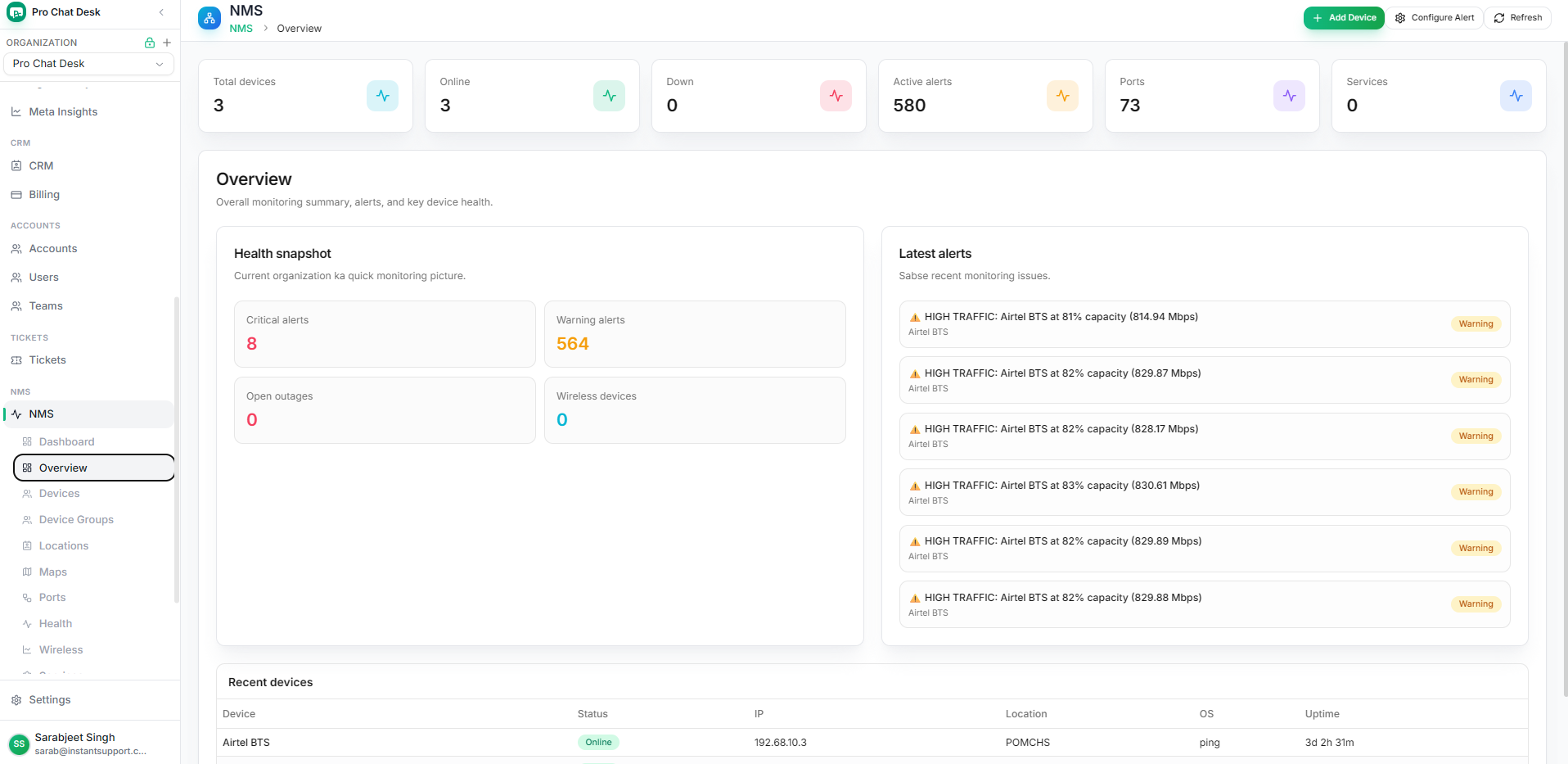
NMS Overview
Device health, alerts, ports, and recent devices
Operations teams can see online devices, high traffic alerts, critical alerts, open outages, and uptime in one overview.
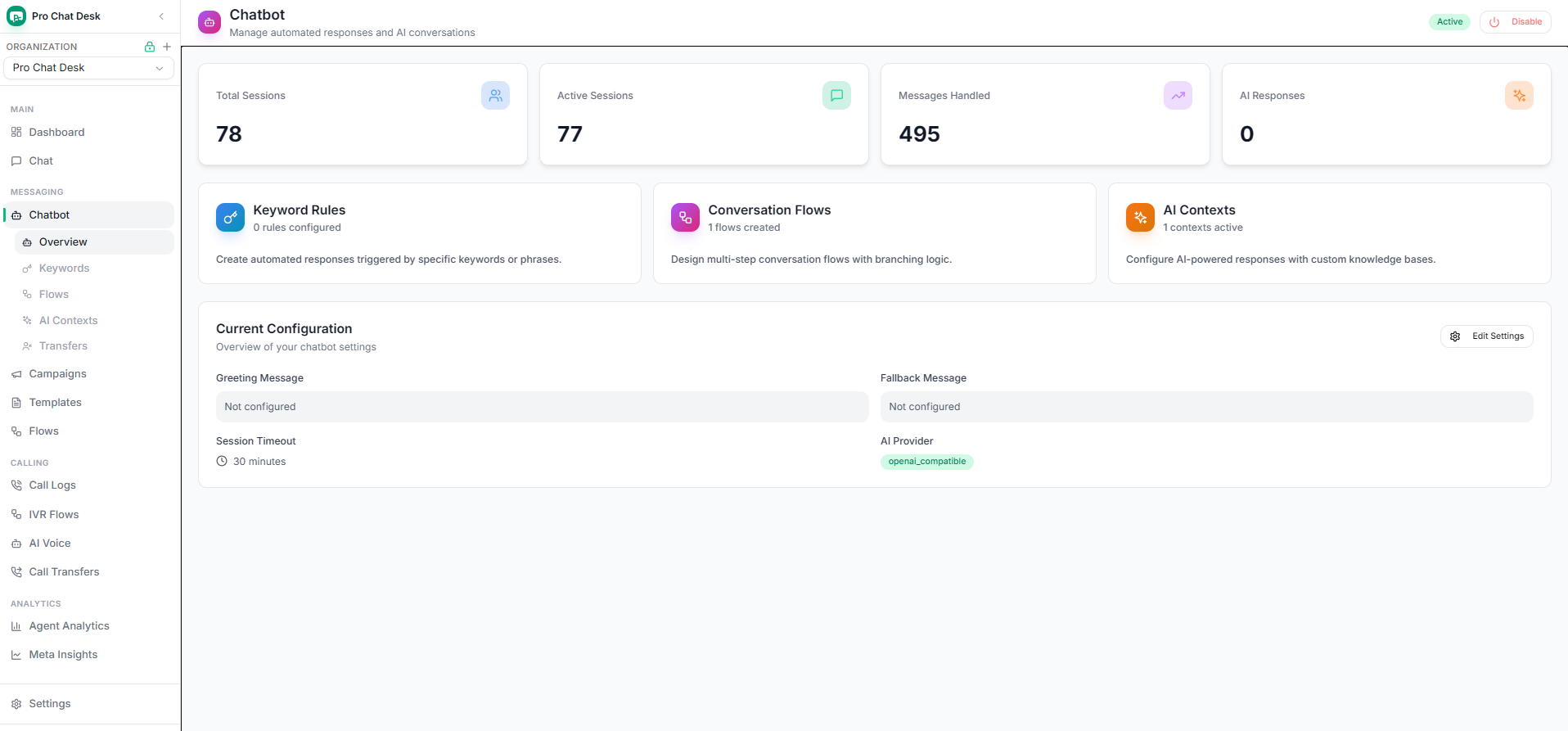
AI Chatbot
Rules, flows, AI contexts, and provider settings
Teams can manage automated replies, conversation flows, AI contexts, fallback settings, and OpenAI-compatible providers.
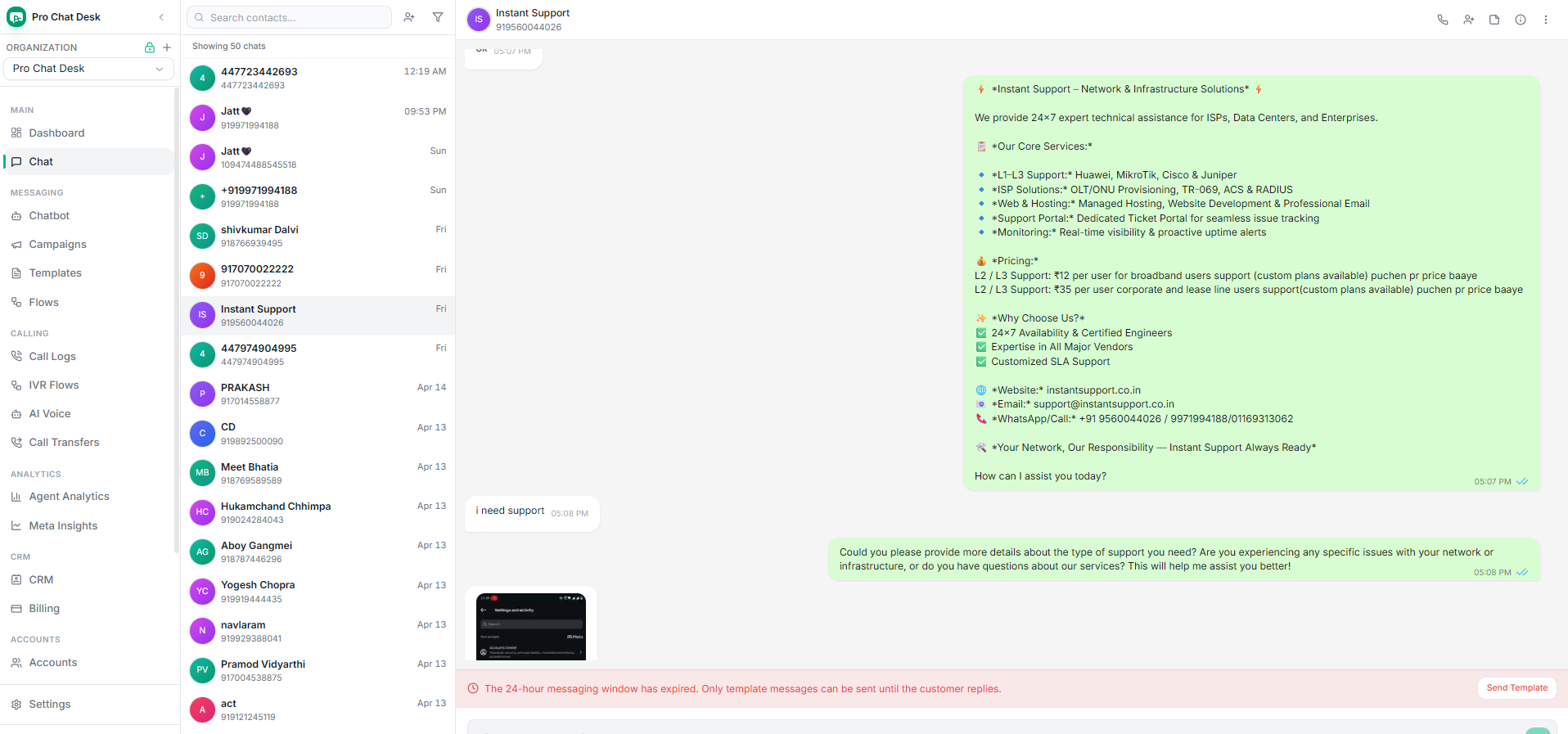
Shared Inbox
Real WhatsApp conversations with team reply tools
Agents can view customer history, reply from one desk, and continue with templates when the 24-hour window is closed.

Tickets
Customer issues tracked from open to closed
Support teams can filter by status and priority, review customer context, assign work, and manage every ticket from one table.

Billing
Plans, credits, invoices, and add-on packs
Customers can compare plans, manage the current subscription, and add AI chatbot, AI voice, network monitoring, and custom upgrade packs.
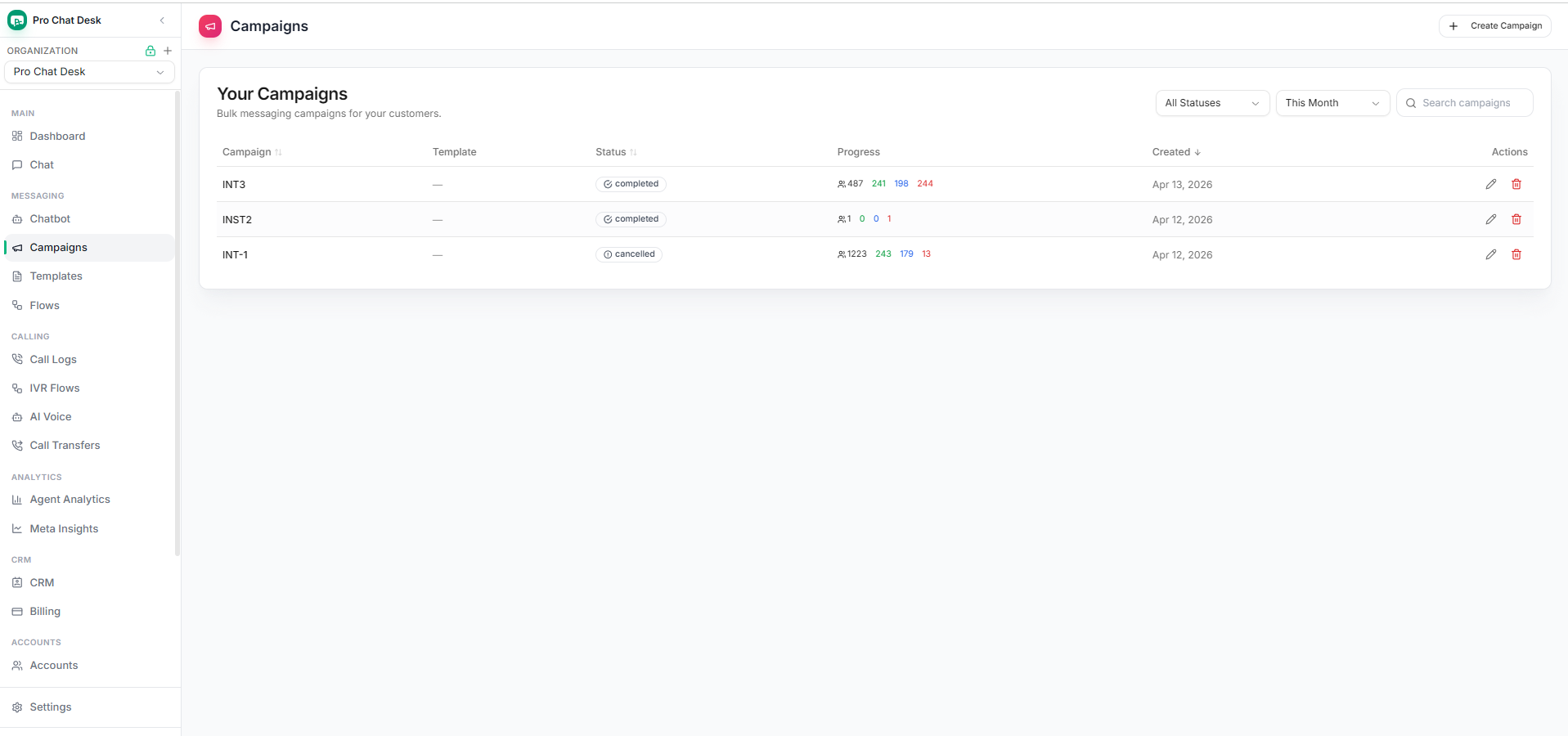
Campaigns
Broadcast progress, statuses, and quick actions
Marketing teams can track completed, cancelled, sent, delivered, read, and failed campaign numbers from the campaign list.
Growth
From first message to repeat purchase
Send approved broadcasts, segment customers, answer replies fast, and follow up with the same context your agents already use.
See plan options
AI Voice
Let AI answer high-intent calls while your team stays focused
Route SIP calls to an AI voice bot, greet customers instantly, qualify needs, and hand over serious conversations to the right team.
OpenAI Realtime SIP
WhatsApp SIP routing
Call handoff
Conversation context

Use Cases
Built for teams that win customers on WhatsApp
Sales, support, operations, and service teams can run from one account or many organizations.

E-commerce & D2C
Abandoned cart follow-ups, order alerts, offers, and post-purchase support.

Education
Admission leads, class reminders, fee updates, and counselor handoffs.

Service Teams
Ticket updates, appointment reminders, renewals, and live support queues.
Workflow
Launch WhatsApp operations without a heavy setup cycle
Start with one number, invite agents, publish templates, and bring AI into support after your flows are ready.
-
01
Connect account
Use Meta Embedded Signup or phone WhatsApp QR based on the organization.
-
02
Set roles
Give owners, admins, and agents the access they need for their own organization.
-
03
Run conversations
Broadcast, reply, automate, and measure results from the same desk.
Plans
Choose the plan your organization needs
Start free with 50 credits, move to Basic or Pro when volume grows, and keep Enterprise ready for full access.
Free Forever
Rs 0 forever
For a new team testing WhatsApp support and inbox workflows.
- 50 free conversation credits
- Shared inbox
- Contacts and quick replies
- Marketing: Rs 0.95 per message
Basic
Rs 999 / month
For teams running campaigns, templates, and AI chatbot support.
- Everything in Free Forever
- Campaign broadcasts
- AI chatbot access
- Unlimited users
- Marketing: Rs 0.95 per message
Pro
Rs 2,499 / month
For teams that need AI voice, advanced automation, and deeper controls.
- Everything in Basic
- AI Voice bot
- Custom actions
- Agent analytics
- Marketing: Rs 0.95 per message
Enterprise
Custom pricing
For brands, agencies, and multi-organization operations with full access.
- Everything in Pro
- Organization controls
- SSO and custom actions
- Dedicated onboarding
- Custom marketing volume pricing
AI Chatbot add-on
AI Voice Call add-on
Custom Actions
Pack of 5 Custom Fields
Pack of 3 Custom Events
Pack of 10 Custom Tags
Marketing template message charge: Rs 0.95. Utility, authentication, and Meta charges can vary by category and country.
Demo
Get Pro Chat Desk set up for your WhatsApp team
Share your team size and WhatsApp account type. We will guide the right setup for Cloud API, phone WhatsApp, or both.
FAQ
Questions teams ask before going live
Short answers for WhatsApp account setup, automation, and day-to-day operations.
Can we use official WhatsApp Cloud API?
Yes. Pro Chat Desk supports Meta WhatsApp Business API accounts, templates, webhooks, campaigns, and analytics.
Can we connect phone WhatsApp with QR?
Yes. QR-based phone WhatsApp connection can be used for teams that are not ready for Cloud API onboarding.
Is organization data private and encrypted?
Yes. Your organization data stays private and encrypted. Each organization can access only its own workspace data.
Does the AI bot remember customer chats?
Yes. The bot can use conversation history for better replies and hand over to agents when human help is needed.
Can Pro Chat Desk show NMS fiber maps and live traffic?
Yes. The platform includes NMS overview screens, device lists, fiber maps, route states, traffic labels, alerts, and customer connection views.
Can support teams manage tickets?
Yes. Teams can create, prioritize, assign, filter, and close customer support tickets from the Tickets module.
Can teams manage billing plans and add-ons?
Yes. Billing includes subscription plans, credits, invoices, paid usage, AI add-ons, voice packs, network monitoring packs, and custom upgrade packs.